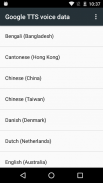
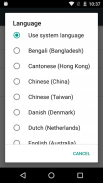
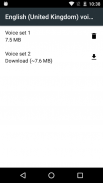
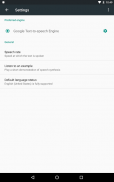
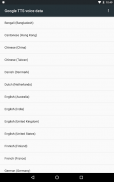
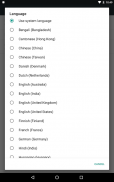
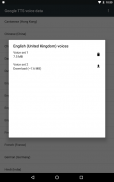
Speech Recognition & Synthesis screenshot 0Speech Recognition & Synthesis screenshot 1Speech Recognition & Synthesis screenshot 2Speech Recognition & Synthesis screenshot 3Speech Recognition & Synthesis screenshot 4Speech Recognition & Synthesis screenshot 5Speech Recognition & Synthesis screenshot 6Speech Recognition & Synthesis screenshot 7Speech Recognition & Synthesis screenshot 8Speech Recognition & Synthesis screenshot 9Speech Recognition & Synthesis screenshot 10Speech Recognition & Synthesis screenshot 11
Speech Recognition & Synthesis Icon

Speech Recognition & Synthesis

Blackl
Trustable Ranking IconVertrauenswürdig
Downloads2B+
Bewertung4.34
Größe57MB
AlterAge ratingPEGI-3
Android-Version11+
Download logoHerunterladenmit Aptoide
DetailsBewertungenVersionenInfo

Beschreibung von Speech Recognition & Synthesis

Power your device with the magic of Google’s text-to-speech and speech-to-text technology. Google Speech-to-Text functionality

Speech Recognition provides speech-to-text functionality to Google and other third party apps to convert what you say to text. For example, it can be used by:

• Google Maps when you use your voice to search places

• Recorder App to transcribe your recordings on device

• Phone App Call Screen feature to get a real-time transcription of your caller

• Accessibility apps like Voice Access for operating your device through voice

• Dictation or keyboard apps you might use to dictate text messages through voice

• Apps that contain a search by voice feature so that you can quickly search for your favorite shows or songs

• Language learning apps that recognize what you say as you practice a new language

• …and many other applications in Play Store

To use Google Speech-to-Text functionality on your Android device, go to Settings > Apps & notifications > Default apps > Assist App. Select Speech Recognition and Synthesis from Google as your preferred voice input engine.

Google Text-to-Speech functionality

Speech Services powers applications to read the text on your screen aloud. For example, it can be used by:

• Google Play Books to “Read Aloud” your favorite book

• Google Translate to speak translations aloud so you can hear the pronunciation of a word

• Talkback and accessibility applications for spoken feedback across your device

• …and many other applications in Play Store

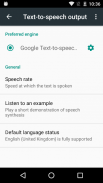
To use Google Text-to-Speech functionality on your Android device, go to Settings > Languages & Input > Text-to-Speech output. Select Speech Recognition and Synthesis from Google as your preferred engine.

Note, on many Android devices, Speech Recognition and Synthesis from Google is already available, but you can update to the latest version here.

Speech Recognition & Synthesis – Version googletts.google-speech-apk_20260105.00_p1.855443657

(22-01-2026)
Weitere Versionen
Was ist neuYour app has a new name: “Speech Recognition and Synthesis from Google”. The Speech Recognition and Synthesis from Google app not only provides text-to-speech but also empowers applications with speech-to-text functionality to convert your voice to text. Read more in the “About this app” section.

Es gibt noch keine Bewertungen oder Beurteilungen! Um die erste zu hinterlassen, installiere bitte

-
448 Reviews
5
4
3
2
1

Speech Recognition & Synthesis – APK Informationen

APK Version: googletts.google-speech-apk_20260105.00_p1.855443657Paket: com.google.android.tts
Kompatibilität zu Android: 11+ (Android11)
Entwickler:BlacklDatenschutzrichtlinie:http://www.google.com/policies/privacyBerechtigungen:19
Name: Speech Recognition & SynthesisGröße: 57 MBDownloads: 2BVersion {{version}}: googletts.google-speech-apk_20260105.00_p1.855443657Erscheinungsdatum: 2026-01-22 15:27:57Min. Bildschirmgröße: SMALLUnterstützte CPU:
Paket-ID: com.google.android.ttsSHA1 Signatur: BD:32:42:42:03:E0:FB:25:F3:6B:57:E5:AA:35:6F:9B:DD:1D:A9:98Entwickler (CN): AndroidOrganisation (O): Google Inc.Ort (L): Mountain ViewLand (C): USBundesland/Stadt (ST): California

Neueste Version von Speech Recognition & Synthesis
googletts.google-speech-apk_20260105.00_p1.855443657Trust Icon Versions
22/1/2026
2B Downloads26 MB Größe
Herunterladen

Weitere Versionen

googletts.google-speech-apk_20251222.02_p0.847924619Trust Icon Versions
16/1/2026
2B Downloads26 MB Größe
Herunterladen
googletts.google-speech-apk_20251124.00_p2.844985730Trust Icon Versions
15/1/2026
2B Downloads26 MB Größe
Herunterladen
googletts.google-speech-apk_20251124.00_p1.840498478Trust Icon Versions
11/12/2025
2B Downloads26 MB Größe
Herunterladen
googletts.google-speech-apk_20251028.02_p3.841938861Trust Icon Versions
9/12/2025
2B Downloads26 MB Größe
Herunterladen
googletts.google-speech-apk_20251028.02_p2.827711934Trust Icon Versions
2/1/2026
2B Downloads26 MB Größe
Herunterladen
googletts.google-speech-apk_20251007.02_p1.829012519Trust Icon Versions
6/1/2026
2B Downloads26 MB Größe
Herunterladen
googletts.google-speech-apk_20251007.02_p0.816430913Trust Icon Versions
7/1/2026
2B Downloads26 MB Größe
Herunterladen
googletts.google-speech-apk_20250915.01_p1.817339947Trust Icon Versions
3/1/2026
2B Downloads26 MB Größe
Herunterladen
googletts.google-speech-apk_20250707.00_p1.782017256Trust Icon Versions
21/1/2026
2B Downloads25 MB Größe
Herunterladen
appcoins-gift
Level-Up-SpieleBis zu 30 % Cashback sichern!
Mehr
ATHENA: Blood TwinsAppcoins Logo App
ATHENA: Blood Twins icon
Herunterladen
Gambit HeroesAppcoins Logo App
Gambit Heroes icon
Herunterladen
Kiss of WarAppcoins Logo App
Kiss of War icon
Herunterladen
Anchor PanicAppcoins Logo App
Anchor Panic icon
Herunterladen
Aptoide home page
Aptoide ist die am schnellsten wachsende App-Store- und Vertriebsplattform der Welt. Wir sind eine globale Plattform für globale Talente. Willst du die Welt erobern?
English
facebook Social Icon
x Social Icon
instagram Social Icon
youtube Social Icon
linkedin Social Icon
tiktok Social Icon
discord Social Icon
©2026 APTOIDE.COM. Alle Rechte vorbehalten.